

Canceling and replacing orders across multiple accounts must be treated as several separate, acknowledgment-driven operations, never as one atomic action. Each account gets its own order ID chain, its own cancel confirmation, and its own reconciliation check before you fan out the replacement. Skip that discipline and a fill during a pending cancel can leave one account flat and another still exposed.
TL;DR:
- Cancel and replace orders across multiple accounts must be processed separately for each account, with confirmation before proceeding to avoid exposure to fills or discrepancies.
- Tracking must include specific order IDs and account details, with clear confirmation of cancel acknowledgment and validation of replacement success for each account.
- Common failures such as race conditions, reject reasons, timeouts, and partial fills require acknowledgment-driven gating and individual account reconciliation to prevent duplicate orders.
- Reconciliation should occur after every action to verify the broker-reported state matches expectations, especially before retrying or progressing with other accounts.
- Using automation like SafeFly can enforce these discipline practices, handling acknowledgment, syncing, and protective stops automatically, reducing the risk of state divergence and manual errors.
Table of Contents
- How Do You Cancel and Replace Orders Across Accounts Safely?
- What Order IDs and Fields Do You Need to Track?
- What Goes Wrong With Cancel/Replace, and How Do You Prevent It?
- How Should You Reconcile State and Handle Retries?
- What Should an Operator Do When Accounts Diverge?
- Why Broker-Side Safeguards Change the Risk Calculus
- The Real Gap in Most Multi-Account Playbooks
- SafeFly Handles the Cancel/Replace Discipline for You
- Where to Verify the Protocol Details
- Sources
- FAQ
How Do You Cancel and Replace Orders Across Accounts Safely?
The workflow below assumes you are running the same trade logic across several Tradovate accounts, whether by hand or through automation. The sequence matters more than the speed.
- Snapshot state per account. Record account ID, current order ID, order quantity, filled quantity, price, and time-in-force for every account before you touch anything.
- Pre-validate the replacement. Check the new price, quantity, and order type against each broker's limits. A quantity that clears on one account can trigger a reject on another if margin or position limits differ.
- Submit cancels account by account. Send the cancel request and wait for the cancel acknowledgment or the accepted modify. Do not assume success from the request timestamp alone.
- Submit replacements only after confirmation. Once an account confirms the cancel, send its replacement. If any account fails to confirm, pause the entire fan-out rather than pushing ahead on the accounts that succeeded.
- Reconcile before retrying. Check for partial fills, rejects, or timeouts on every account, and log the outcome, before you attempt the sequence again.
This is slower than blasting one replacement message to five accounts at once. It is also the only version of this workflow that does not risk a duplicate fill.
Pro Tip: Log the full order chain, including rejected attempts, even when the retry succeeds. The rejected attempt is often the only record that explains a discrepancy an operator finds three days later.
What Order IDs and Fields Do You Need to Track?
A cancel/replace is not an edit to an existing order. Under the FIX protocol, the Order Cancel/Replace Request message, tagged 35=G, creates a new order identity that chains back to the original through OrigClOrdID and ClOrdID. The original order does not get modified in place; it gets replaced by an order carrying a new identifier, and the exchange links the two through that chain. Multi-account setups that fail to preserve this chain lose the ability to audit what happened after the fact, according to FIX best practices on order ID mapping.
At minimum, persist these fields per account, per order:
- Account ID
- OrigClOrdID (the identifier of the order being replaced)
- New ClOrdID (the identifier of the replacement)
- Timestamp of the request
- Acknowledged state (pending, confirmed, rejected)
- Cumulative filled quantity at the time of the request
- Final order status
Broker APIs add another layer of context on top of the FIX chain. The Tradovate API requires the target account to be specified on every order action, which means a cancel or replace sent without explicit account context is either rejected outright or, worse, applied to the wrong account session. Any automation built across multiple Tradovate accounts needs to carry account ID alongside the order chain, not treat it as implied context.
What Goes Wrong With Cancel/Replace, and How Do You Prevent It?
Four failure patterns account for most of the trouble traders run into when replacing orders across several accounts at once.
- Race conditions. An order can fill during the window between sending a cancel and receiving confirmation. If your system fires the replacement anyway, you now hold a filled position plus a new working order. The fix is acknowledgment-driven gating: nothing gets replaced until the cancel is confirmed, and if any account diverges from the expected state, the whole batch pauses.
- Rejects on invalid fields. CME's order functionality documentation confirms that cancel/replace requests can be rejected for invalid quantities or other venue-level constraints, and that the exchange does not guarantee atomic behavior across accounts. Pre-validating quantity and price against each account's limits before sending catches most of these before they become live problems.
- Timeouts and disconnects. A dropped connection during a pending replace leaves you not knowing whether the exchange processed it. iLink documentation on cancel/replace requests details reject codes and In-Flight Mitigation flags that exist precisely because this ambiguity is common at the exchange level. Query broker state before retrying. Blind retries after a timeout are how traders end up with duplicate orders.
- Partial success across accounts. When three of five accounts confirm and two don't, mark each account's status individually and surface the divergent ones for manual review rather than letting the automation decide on its own.
Pro Tip: Treat any unconfirmed cancel as still live until you get a definitive answer. Assuming success is the single most common cause of duplicate exposure in multi-account setups.
How Should You Reconcile State and Handle Retries?
Reconciliation isn't a cleanup step you run at the end of the day. It has to happen after every single action, before you allow the system to move on.
- Compare intended state to reported state. After every cancel or replace, check what the broker actually reports against what you expected, account by account.
- Read the execution report properly. The FIX 'Pending Replace' ExecType confirms the exchange received your request, but it is not a final outcome. Check ExecType, CumQty, and OrderStatus, and don't treat pending as done.
- Retry only after confirming broker state. Use the chained ClOrdID and the last-accepted marker as your reference point so a retry can't create a duplicate order.
- Recompute quantities after partial fills. If an account filled 2 of 5 contracts before the cancel landed, the replacement quantity for that account needs to reflect the remaining 3, not the original 5.
What Should an Operator Do When Accounts Diverge?
Automation should stop and hand control to a person under specific, predictable conditions: a reject on any account, a partial fill accompanied by price divergence from the other accounts, or a loss of connectivity mid-sequence.
When that happens, query in this order: order status, cumulative fill quantity, connection health, and drop-copy logs, if your setup produces them. That sequence tells you what actually happened before you touch anything.
From there, you have three repair options: flatten the divergent account and match it to the others, re-enter the replacement once you've confirmed broker state, or run a full position resync across every account before resuming automation.
- Status-check template: "Account [ID], order [ClOrdID]: requesting current status and cumulative fill before retry."
- Escalation template: "Account [ID] diverged from batch at [timestamp]. Pausing fan-out. Manual review required."
Pro Tip: Set an SLA for how long an unconfirmed account can stay in limbo before it triggers automatic escalation. Five minutes of silence on a fast-moving contract is a very different problem than five minutes on a quiet one.
Why Broker-Side Safeguards Change the Risk Calculus
Acknowledgment-driven design solves the logic problem. It doesn't solve what happens if your connection drops mid-sequence and nothing is watching the account anymore. That's a different layer of risk, and it's the one most manual workflows never address.
The dominant risk in multi-account cancel/replace isn't bad logic. It's state divergence during a disconnect, when nobody is confirming anything at all.
SafeFly mirrors trades from a lead account to connected Tradovate accounts and requires a broker-side protective stop on every copied trade, so the stop lives with the broker rather than with a local process that can drop offline. The platform connects through OAuth rather than stored credentials, and it resyncs positions after an outage instead of leaving accounts to guess their own state. Daily profit and loss lockouts add a second layer that catches what acknowledgment logic alone can't: cumulative risk building across accounts in a session nobody is watching closely enough. Read more on disconnect risk protection.
The Real Gap in Most Multi-Account Playbooks
Most advice on managing multiple trading accounts focuses on speed: how fast you can fan out a trade, how fast you can adjust five accounts at once. That's the wrong priority. The FIX and CME documentation cited throughout this piece exists precisely because speed without confirmation is what causes duplicate fills and orphaned positions. The protocol builders assumed non-atomic behavior from the start. Traders who assume otherwise are the ones who get burned.
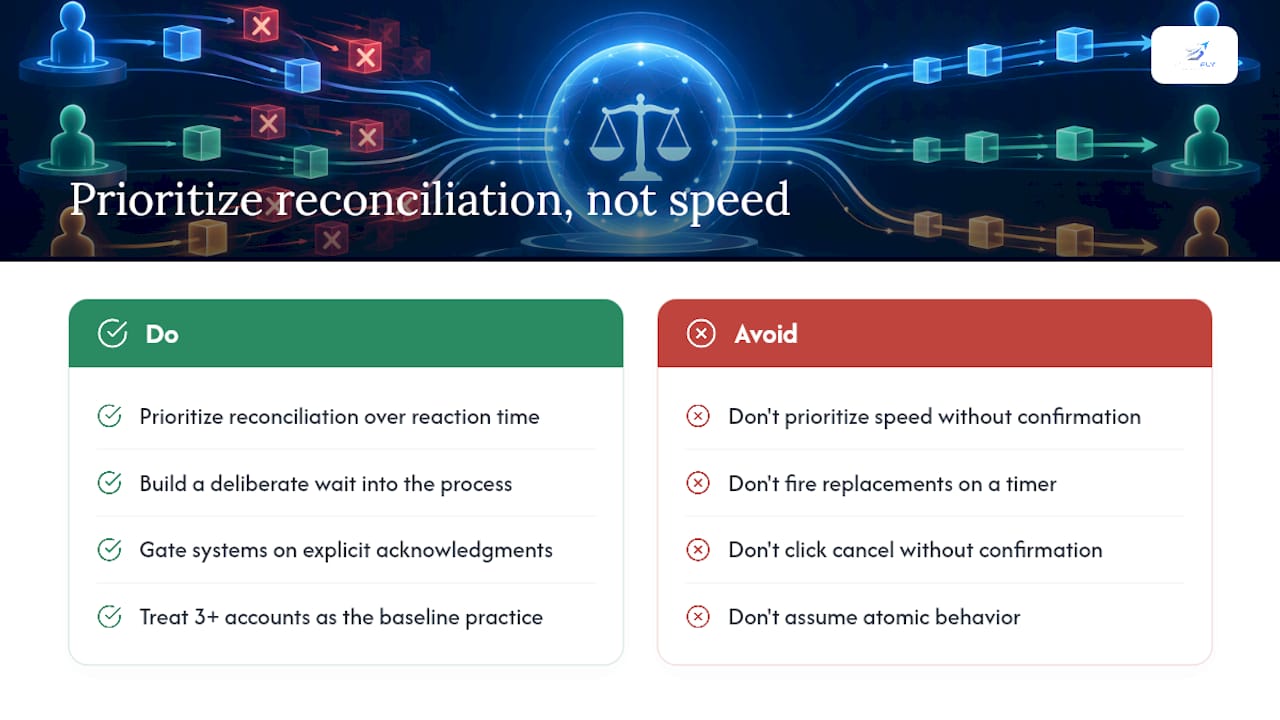
The overlooked point is that manual traders and automated systems fail the same way. A trader clicking cancel on five platforms without waiting for confirmation makes the identical mistake as a poorly built bot that fires replacements on a timer. The fix isn't more speed or more manual attention. It's building the wait into the process, whether that's a human checking a fill report or a system gated on acknowledgment.
If you take one thing from this, it's this: prioritize reconciliation over reaction time. A slightly slower, confirmed replacement beats a fast one that might be wrong. Traders managing three or more accounts should treat that as the baseline, not an aspiration.
— Arturo
SafeFly Handles the Cancel/Replace Discipline for You
Building your own acknowledgment-gated, per-account reconciliation system from scratch means writing and testing the exact logic covered above, then maintaining it every time a broker changes its API. SafeFly runs that logic for you: it mirrors trades across your connected Tradovate accounts, enforces a broker-side protective stop on every mirrored position, and resyncs state automatically after a disconnect instead of leaving you to reconcile by hand.

The platform connects through secure OAuth, so no account password ever sits on a local machine, and daily profit and loss lockouts cap exposure before a bad session compounds across every account you run. Full detail on how the mirroring and stop logic works is on the how it works page. Plans start at Basic with monthly and annual subscription options, with higher tiers offering additional features, all detailed on the pricing page. If you manage more than one Tradovate account and want the reconciliation handled for you, start a trial and watch how it holds up on your own accounts.
Where to Verify the Protocol Details
- FIX 35=G Order Cancel/Replace Request specification
- CME order functionality and cancel/replace documentation
- iLink order cancel/replace rejects and limits
- Tradovate API reference for account-scoped order actions
- Order synchronization guide for multi-account traders
Sources
- Order Cancel/Replace Request message | 35=G | FIX Latest
- Order Functionalities - CME Group Client Systems Wiki - Confluence
- iLink Order Cancel Replace Request - CME Group Client Systems Wiki - Confluence
- Tradovate API
FAQ
Is Canceling and Replacing Orders Across Accounts Atomic?
No. CME's own documentation confirms that cancel/replace requests are account-specific and not atomic across venues or accounts. Each account requires its own acknowledgment before you can treat the replacement as confirmed.
What Does "Pending Replace" Actually Mean?
Pending Replace is an execution status confirming the exchange received your request, not that the order has been replaced. The FIX 35=G specification treats it as an intermediate state, so automation should wait for a final execution report before acting on it.
How Do I Avoid Duplicate Orders After a Timeout?
Query the broker for current order status before retrying anything. Blind retries after an ambiguous timeout are the most common cause of duplicate fills in multi-account setups, so use the chained ClOrdID to confirm what actually happened first.
Can SafeFly Handle Cancel/Replace Across My Tradovate Accounts?
SafeFly mirrors trades from a lead account to your other connected Tradovate accounts and attaches a broker-side protective stop to every copied position. It resyncs positions automatically after a disconnect, which addresses the exact divergence risk this article describes. Details are on the how it works page.
What Should I Log for Audit and Compliance Purposes?
Log account ID, original order ID, replacement order ID, timestamp, acknowledgment state, cumulative filled quantity, and final status for every action, including rejected attempts. This chain is what lets you reconstruct exactly what happened across accounts if a discrepancy surfaces later.