
The only defenses that hold up during a real disconnect are broker or exchange-hosted protective stops, an enforced daily profit-and-loss lockout, and automated trade mirroring that places broker-side stops on every account, not just the lead one. Local-only stops, the kind your platform software manages on your desktop, disappear the instant your connection does. SafeFly builds around this exact gap, pairing trade mirroring with broker-side stops and portfolio-level lockouts, so a dropped connection doesn't turn into a blown account.
TL;DR:
- Broker-side stops are essential because local stops disappear instantly during a disconnect, while exchange-resident stops remain active independently.
- CME's Cancel On Disconnect feature is not foolproof, as it may fail during no-cancel periods or after a fill has already occurred.
- Multi-account mirroring increases risks, requiring rigorous verification of account mapping, latency testing, and strict position and loss limits at the portfolio level.
- Reconnecting after a disconnect demands a formal protocol with independent tick verification and full reconciliation before resuming trading to avoid large losses.
- SafeFly offers automation that automatically attaches broker-side stops to all mirrored accounts and enforces aggregate risk controls for traders managing multiple Tradovate accounts.
Table of Contents
- How Server-Side Protective Controls Work and What They Can't Guarantee
- Operational Checklist for Multi-Account Mirroring and Risk Controls
- Architecture and Monitoring: Watchdogs, Fail-Closed Design, and Reconciliation
- Post-Disconnect Recovery: Verification Before You Resume Trading
- What Multi-Account Operators Get Wrong About Disconnect Risk
- SafeFly: Closing the Disconnect Gap Across Tradovate Accounts
- Sources
How Server-Side Protective Controls Work and What They Can't Guarantee
A stop order lives in one of two places: on your local trading platform, waiting for your software to send a cancel or trigger instruction, or on the exchange's matching engine, where it survives independent of your internet connection. That distinction is the entire ballgame for disconnect risk futures management. If your platform crashes or your Wi-Fi drops, a local stop simply stops existing as an active instruction. An exchange-resident stop keeps working because it was never dependent on your machine in the first place.
CME Group's Cancel On Disconnect feature, known as COD, is the closest thing futures markets have to an automatic safety net. Once a session and trader ID pair is registered for COD, the exchange cancels that session's resting orders automatically if it detects an involuntary loss of connectivity. It sounds airtight. It isn't, entirely.
COD has two documented failure modes worth memorizing:
- No-cancel periods. During certain market states, the exchange won't process cancellations at all, COD included.
- Too Late to Cancel (TLTC). If your order already matched at the host before the disconnect was detected, COD can't unwind a fill that already happened.
Stop orders also convert to market orders once triggered, and market orders don't guarantee a fill price, especially during fast-moving or gapping markets. That's why position sizing still matters even with server-side protection in place: a guaranteed cancellation isn't the same as a guaranteed price.
Pro Tip: Call your FCM directly and ask for written confirmation that COD is registered on your specific session and trader ID, not just enabled at the account level. Registration gaps are common and invisible until you need the protection.
Operational Checklist for Multi-Account Mirroring and Risk Controls
Copying trades across several Tradovate accounts multiplies every risk that exists in a single-account setup. A mapping error that costs you nothing on one account can cascade into five inconsistent positions when it happens across a mirrored group. Running a documented checklist before you scale isn't optional busywork, it's the difference between a manageable hiccup and a portfolio-wide mess.
- Verify account and symbol mapping. Confirm every follower account maps to the correct contract, tick size, and multiplier before mirroring goes live.
- Build a per-broker order-type matrix. Not every broker treats stop-limit, bracket, and OCO orders identically; document the differences account by account.
- Set per-account hard stops and a portfolio-level daily loss lockout. Aggregate daily loss limits enforced at the portfolio level protect against correlated losses that individual account stops miss.
- Run a disconnect and reconnect simulation. Kill the connection deliberately during a test session and time how long cancel/replace and flatten-all commands take to confirm.
- Check per-order round-trip latency. Know your baseline before you need it as a diagnostic during a live incident.
Grouping accounts and staggering their activation instead of firing every mirrored trade simultaneously reduces the odds that a single mapping error touches your whole portfolio at once, a practice echoed in guidance on managing multiple funded accounts. Keep one dedicated broker connection reserved purely for monitoring, separate from your execution feed, and maintain a human escalation path (a phone number for your FCM's trade desk, not just a support ticket queue) for the moment automation can't resolve itself.
Architecture and Monitoring: Watchdogs, Fail-Closed Design, and Reconciliation
The most dangerous failure in automated futures trading isn't a hard disconnect. It's the silent one. Your platform shows "connected." Your charts look normal. But market-data events have simply stopped arriving, and you're trading, or worse, not trading, against a frozen picture of the market. NexusFi Academy's analysis of data-feed freezes identifies this as the failure mode traders underestimate most, precisely because the user interface gives no warning.
The fix is a watchdog process that tracks the age of the last received tick. During regular trading hours, a threshold of one to two seconds is the recommended tripwire. Cross it, and the system should assume the feed is stale rather than assume the market went quiet.
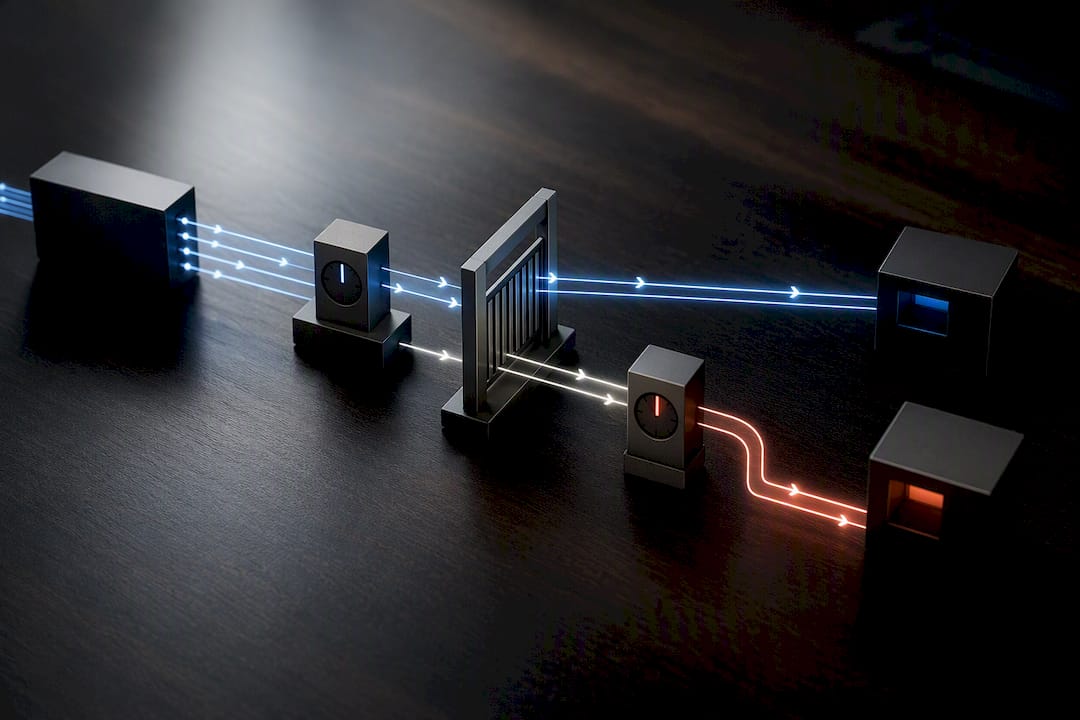
Recovery itself should follow a fixed sequence, not improvisation under stress. Architecture guidance from NexusFi lays out a seven-step protocol: detect the disconnect, stop submitting new orders, reconnect using exponential backoff, request open orders, request execution reports, request current positions, then reconcile everything before resuming. The target for that reconciliation step is under five seconds. Exponential backoff with jitter matters here too. If every account and strategy tries to reconnect at the same instant, you create a resubscription flood that delays everyone's recovery instead of speeding it up.
Three design principles hold this together: idempotency (so a retried order never duplicates), a fail-closed risk engine (it blocks new exposure by default when state is uncertain, rather than allowing it), and a kill-switch hierarchy that can halt one strategy, one account, or the entire system.
| Metric | What it catches | Target |
|---|---|---|
| Reconnect time | Session recovery speed | Backoff-managed, no simultaneous storm |
| Cancel ack latency | Order-cancel confirmation delay | As low as your broker link allows |
| Flatten completion time | Speed of full position exit | Measured in your disconnect test |
| Reconciliation delta | Mismatch between local and broker state | Zero before resuming |
Post-Disconnect Recovery: Verification Before You Resume Trading
Reconnecting isn't the finish line. It's the point where the real risk of resuming on bad information begins, because a session that looks reconnected can still be operating on stale prices or an unreconciled position book.
- Check tick freshness against an independent source, such as your broker's web portal or a separate data feed, before trusting your primary platform again.
- Query execution reports and current positions directly from the broker, then wait for full reconciliation, targeting under five seconds per the same protocol used during architecture design.
- If reconciliation fails or times out, escalate to your broker's trade desk immediately and suspend all automated order submission until a human confirms the account state.
- Require guard rails before re-enabling automation: a minimum window of fresh, verified tick data and a reconciliation delta of zero. Anything less means you're trading blind on the assumption that everything synced correctly.
Skipping these steps to get back into the market faster is how a five-minute outage turns into a five-figure mistake.
What Multi-Account Operators Get Wrong About Disconnect Risk
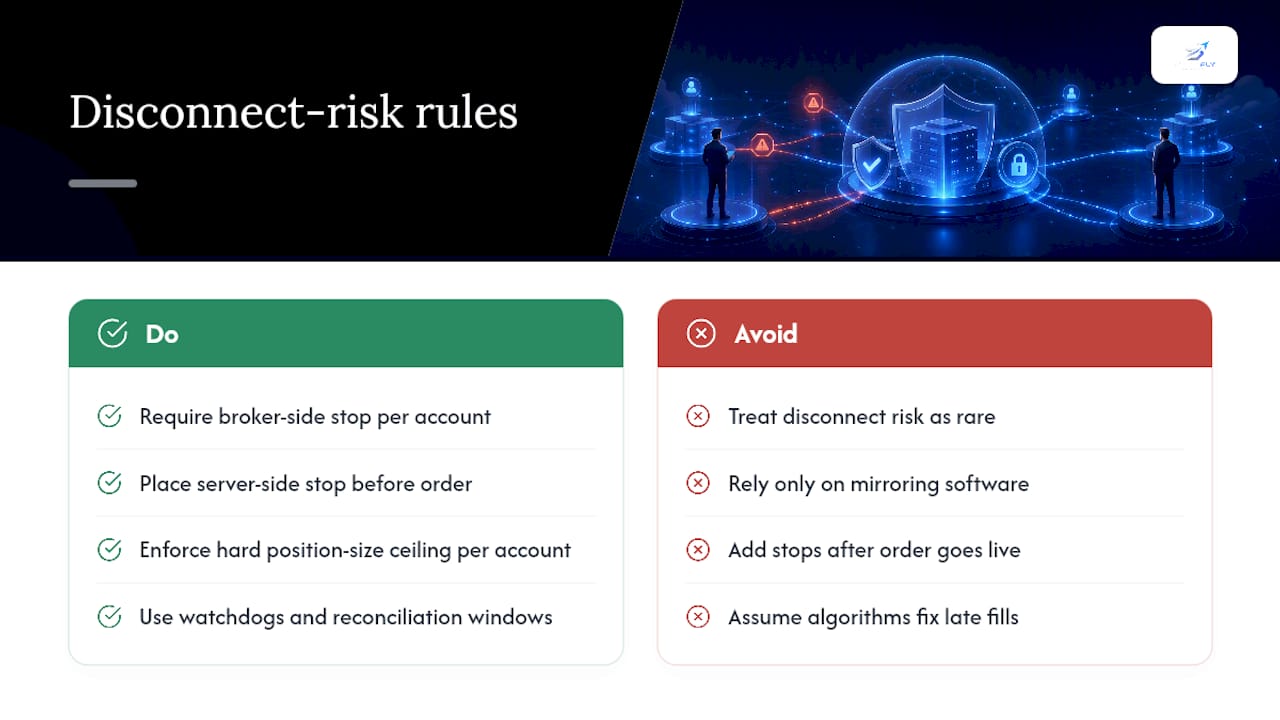
Most traders treat disconnect risk as a rare event, something that happens to someone else's internet provider. It happens more often at the worst possible moment, usually during the exact volatility spike that made the trade worth taking in the first place. The lesson that sticks with operators who run several accounts at once isn't about redundancy hardware. It's about discipline: every account, no matter how well the mirroring software performs, needs its own broker-side stop and its own hard position-size ceiling, because no algorithm can fix a fill that already happened during a Too Late to Cancel window.
The single rule we never bend on multi-account setups is this: no order goes live without a server-side stop already resting behind it. Not "will be added." Already there. Everything else, watchdogs, reconciliation windows, escalation paths, exists to catch what that first rule misses.
— Arturo
SafeFly: Closing the Disconnect Gap Across Tradovate Accounts
There are automation solutions for traders running multiple Tradovate accounts who need mirroring and broker-side protection without stitching together their own reconciliation scripts. Instead of manually re-entering the same trade multiple times across accounts, or trusting a local stop that vanishes the moment your connection drops, some platforms mirror each trade from a lead account and attach a broker-side protective stop automatically on every follower account.

Here's how such platforms can line up against the protections this article just walked through:
| What to check | How platforms may help |
|---|---|
| Broker-side stops on every account | Applied automatically at mirror time, not just on the lead account |
| Aggregate daily loss control | Portfolio-level P&L lockouts enforced across connected accounts |
| Secure account connection | OAuth integrations with supported brokers, no shared credentials |
| Post-trade visibility | Detailed trade analytics and coaching features to review execution quality |
If you want to see how the mirroring and stop logic actually connects to your accounts, the How It Works page walks through the OAuth setup and order flow step by step. Traders who want to verify pricing and data behavior before committing can also review the order flow and market data tools SafeFly Ultra provides. Start a trial and connect your first account to see the broker-side stop attach in real time.
Sources
The CME Group technical page on Cancel On Disconnect documents COD registration and its failure conditions directly from the exchange. For deeper reading on SafeFly's approach, see disconnection trade protection and enforcing per-trade risk limits. For broader risk-management practices, Darkbot's risk management blog offers complementary reading on automation checklists.
- Cancel on Disconnect — CME Group (EPIC Sandbox)