

In this context, "CFTC auto trading rules" means broker-side auto trade mirroring across multiple Tradovate accounts, not a federal rulebook. The single most important operational requirement is that protective stops and daily loss controls run on the server, not on a trader's desktop. If those controls live only in a local application, a disconnect or crash removes protection at the exact moment a position needs it most. SafeFly is one solution built around this server-side approach.
TL;DR:
- Server-side protective stops and daily loss controls are essential because they continue functioning during disconnects, crashes, or feed glitches.
- Traders must replicate bracket and cancel-the-other logic for every follower account manually, as exchanges do not handle this automatically.
- Using simulated stops that run locally on the platform can fail during disconnections, leaving positions unprotected when it matters most.
- Setting up multi-account mirroring requires verifying secure account linking, configuring server-side risk controls, and conducting live tests before scaling.
- SafeFly automates these best practices by implementing broker-side stops, per-account risk limits, auto-flatten controls, and detailed trade analytics.
Table of Contents
- Why Server-Side Broker-Side Stops and Lockouts Are Non-Negotiable
- Order Types and Bracket Logic Every Follower Account Needs
- Implementation Checklist for Tradovate Multi-Account Mirroring
- Common Pitfalls and Operational Tradeoffs
- How SafeFly Fits This Checklist
- Sources
Why Server-Side Broker-Side Stops and Lockouts Are Non-Negotiable
A client-side stop is only as reliable as the computer running it. Close the trading platform, lose internet, or suffer a Windows update mid-session, and any stop logic sitting on that machine stops working with it. Server-side controls sit with the broker or the copying engine's own infrastructure, so they keep functioning even when a trader's laptop does not.
This distinction matters most in three failure scenarios that happen more often than most multi-account traders expect:
- Disconnects: a dropped internet connection during a fast market can leave a position naked if stops were simulated locally.
- Orphaned orders: a canceled entry that leaves its bracket order still working, exposing an account to an unintended fill.
- Order storms: a bug or feed glitch that fires repeated orders faster than a human or even a script can catch.
Server-side daily loss limits (DLL) and auto-flatten policies act as a circuit breaker in each of these cases. Rithmic's risk management infrastructure enforces these controls at the platform level, so they continue running during internet outages or computer failures rather than depending on a connection that might already be gone.
Statistic Callout: Risk-control literature consistently identifies DLL and auto-flatten as the most effective protections against catastrophic loss spirals in futures trading, ahead of manual monitoring or client-side alerts.
For a trader mirroring trades across five or ten Tradovate accounts, this is not a marginal feature. One disconnect during an active trade, multiplied across every follower account, turns a single-account mistake into a portfolio-wide one.
Order Types and Bracket Logic Every Follower Account Needs
Exchanges do not manage your bracket orders for you. CME Globex and similar venues have no native concept of One Cancels Other (OCO); that logic lives entirely in the broker's platform or in the copying software sitting between the trader and the exchange. ThorTradeCopier's breakdown of futures order types makes this point directly: a copier has to re-create bracket and cancel-the-other behavior for every single follower account, because the exchange will not do it on the copier's behalf.
Three order types come into play for protective exits, each with different guarantees:
- Stop-market orders guarantee execution once triggered, but can slip in fast-moving markets, filling at a worse price than intended.
- Stop-limit orders guarantee the price ceiling or floor but carry no fill guarantee, meaning a gap-through move can leave the order unfilled entirely.
- Simulated (local) stops run on the platform's own logic rather than the exchange or broker server. NinjaTrader's own documentation notes these can stop trailing the moment the platform disconnects.
That third category is where multi-account traders get hurt most often. A simulated stop looks identical to a broker-side stop right up until the moment the connection drops, and by then it is too late to notice the difference.
Pro Tip: Test your bracket replication with a small, throwaway position first. Enter a trade in your lead account, then manually disconnect the follower's session and confirm the stop still holds. If it does not, you have a simulated stop problem, not a market problem.

Skipping per-follower bracket replication does not just risk one bad fill. It leaves working orders orphaned in accounts the trader may not be watching in real time, and it can double exposure if both a stop and its untracked twin order fill separately. Some server-side engines replicate this logic to individual followers in the low milliseconds, a tolerance tight enough that timing drift rarely becomes the failure point compared to the bracket logic itself.
Implementation Checklist for Tradovate Multi-Account Mirroring
Setting up mirrored trading across multiple Tradovate accounts is a sequence, not a single toggle. Skipping a step here tends to surface as a live-account problem rather than a testing one.
Phase one: connect and verify.
- Link each Tradovate account through a secure OAuth connection rather than shared credentials, confirming each account authenticates independently.
- Confirm the lead account and every follower account show correctly matched buying power and margin settings before any live trade runs.
- Verify account-level permissions so a follower cannot accidentally place manual orders that conflict with mirrored trades.
Phase two: configure protective controls.
- Set broker-side default stops on every follower account, not just the lead account.
- Favor server-side trailing behavior over local trailing logic wherever the platform supports it.
- Enable daily profit-and-loss lockouts sized to each account's actual risk tolerance, not a single blanket number copied across accounts.
- Turn on auto-flatten for disconnect events and end-of-session cutoffs.
- Set per-trade risk caps and an order-rate limit to prevent an algorithmic order storm from overwhelming the broker's message queue.
Phase three: acceptance testing.
- Run parallel replication tests during live market hours on small size to confirm every follower fills within an acceptable latency window.
- Force an OCO-cancel event in the lead account and time how long it takes each follower's matching bracket to cancel.
- Simulate a disconnect on a follower account and confirm auto-flatten triggers as designed rather than leaving a position open.
- Set up alerts for lockout triggers, failed replications, and rate-limit breaches so problems surface before the next session.
Pro Tip: Run your disconnect test during off-market hours first. It is a low-cost way to catch a misconfigured auto-flatten setting before it costs you a real position. Testing intentionally during quiet hours, before scaling to more accounts, tends to catch configuration errors that only appear under pressure once real capital is moving.
Common Pitfalls and Operational Tradeoffs
The traders who get burned worst are rarely the careless ones. They are the disciplined ones who tested their setup once, saw it work, and never tested it again after adding a fourth or fifth follower account. Scale changes risk in ways that a single successful trial does not reveal.
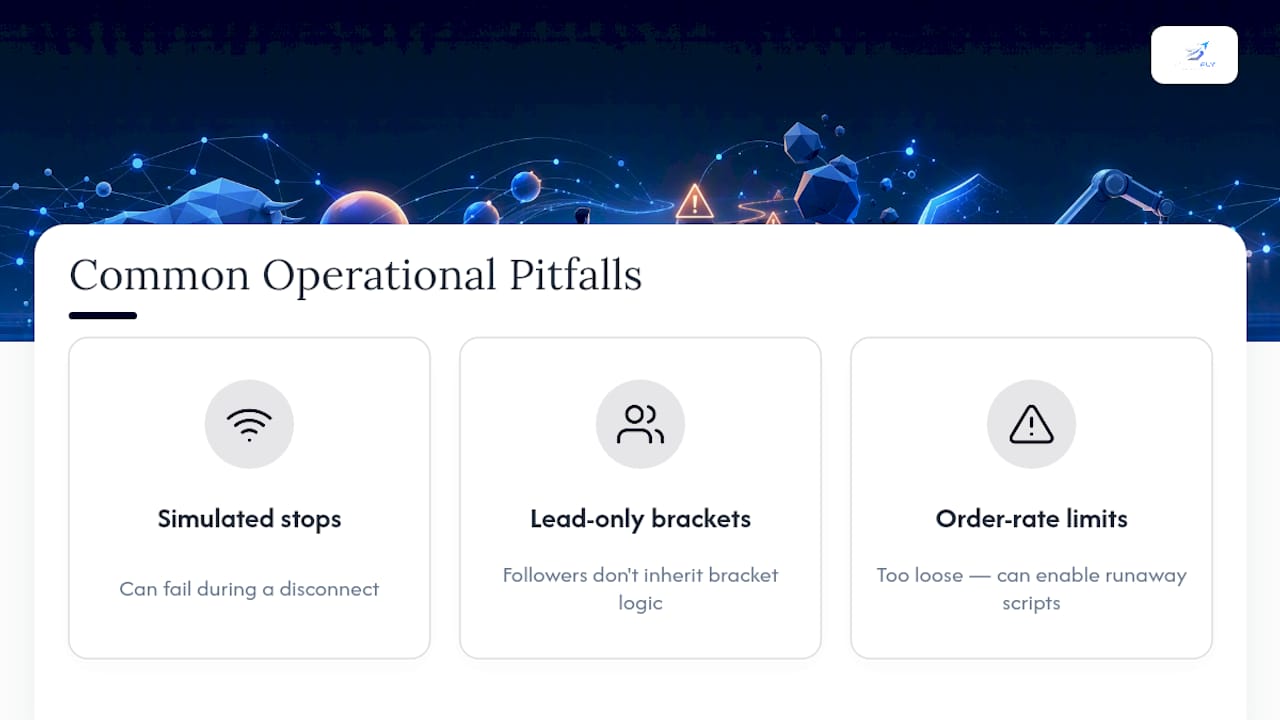
Three mistakes show up repeatedly. First, relying on simulated stops because they seemed to work fine in calm markets, without accounting for what happens during a disconnect. Second, configuring brackets on the lead account and assuming followers inherit the same protection automatically. They do not, unless the copier explicitly replicates that logic per account. Third, setting order-rate limits too loosely, treating them as a formality rather than a real safeguard against a runaway script.
For sizing defaults, a daily loss limit set to a moderate percentage of account equity gives most serious traders enough room to withstand a normal bad day without enabling a genuinely destructive one. Per-trade risk caps in the 0.5% to 1% range, paired with a sensible maximum trades-per-day count, keep a single mistake from compounding across every mirrored account before anyone notices.
Stage rollouts in small batches. Add one or two follower accounts, run them for a week, then expand. Problems that never surfaced with three accounts have a way of appearing at seven.
— Arturo
How SafeFly Fits This Checklist
Every item on that acceptance list maps directly to how SafeFly is built. Account linking runs through secure OAuth connections rather than shared logins, protective stops execute broker-side so they hold through disconnects, and daily profit-and-loss lockouts, per-trade caps, and order-rate safeguards are configurable per account rather than applied as one blanket setting across a portfolio.

Trade analytics and AI coaching add a layer most manual copying setups skip entirely: a record of what actually happened across every follower account, not just the lead one, so a trader can see where a bracket lagged or a lockout triggered before it becomes a pattern. For traders who want the technical detail behind the mirroring architecture, the SafeFly integration overview walks through the OAuth setup and broker-side stop mechanics in full. Review the risk disclosure before connecting live accounts, then start a trial and run the disconnect and OCO-cancel tests on a small follower group before scaling to a full multi-account setup.
Sources
This guide draws on Rithmic's risk management documentation, NexusFi's platform risk-control research, ThorTradeCopier's order-type breakdown, and SafeFly's automated risk rules guide for deeper implementation detail.
- NexusFi Academy — Risk controls and safety features in futures trading platforms
- ThorTradeCopier — Futures order types explained: bracket, OCO, stop, trailing
- NinjaTrader blog — Stop loss orders: which order type to use?