

Sim to live mirroring is feasible right now for Tradovate accounts using a copier that supports environment mapping and OAuth authentication, but it is not safe to run it without three guards in place first: correct environment verification on every account, broker-side protective stops, and daily P&L lockouts. SafeFly builds these controls into the connection process rather than leaving them to manual configuration.
TL;DR:
- Simulation-to-live mirroring is possible with Tradovate accounts using environment mapping and OAuth, but requires strict safety controls.
- Confirm account types, clear naming, and permissions beforehand to prevent connection errors and misrouted trades.
- Implement broker-side protective stops, daily profit and loss lockouts, and position caps to manage risk during live trading.
- Conduct staged testing starting with demo runs and small live trials, continuously verifying fill accuracy and latency before scaling accounts.
- SafeFly automates safeguards like environment verification, stops, and lockouts, reducing configuration errors and improving long-term safety.
Table of Contents
- What Is Sim to Live Mirroring on Tradovate?
- Prerequisites and Account Mapping Before You Start
- How Do You Set Up Sim to Live Mirroring Step by Step?
- Risk Controls That Are Non-Negotiable Once You Go Live
- How Do You Test and Verify Mirroring Before Scaling Up?
- Operational Rules to Keep Mirroring Safe Long-Term
- When Sim to Live Mirroring Is the Right Choice
- SafeFly's Approach to Sim to Live Mirroring
- FAQ
What Is Sim to Live Mirroring on Tradovate?
Sim to live mirroring means routing trades executed in a Tradovate Demo (simulation) account into one or more Live accounts automatically, using a trade copier or mirroring engine rather than manual re-entry. Traders use this pattern when they want to test a strategy's live-market behavior on a sim account, or run a validated strategy on a designated "leader" account, and have that execution replicated instantly across funded accounts without touching each platform by hand.
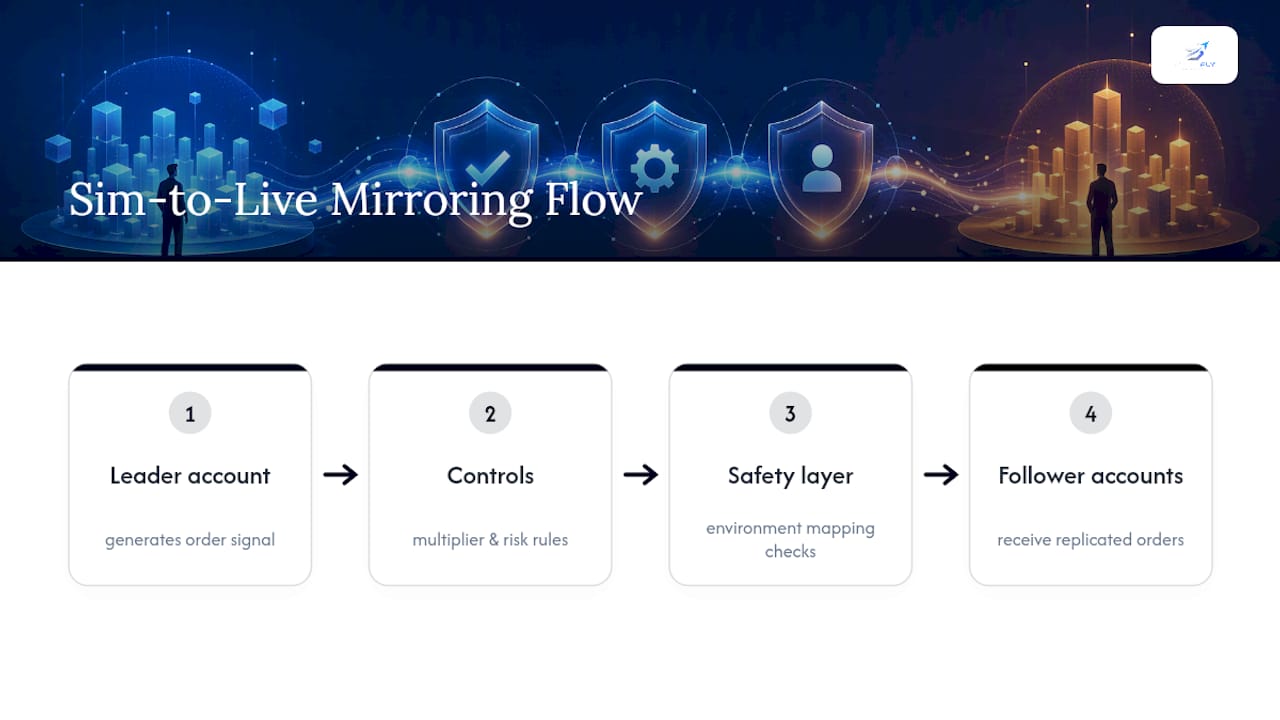
The industry term for the underlying mechanism is copy trading, sometimes called trade replication or live simulation mirroring. A leader account generates the signal, and follower accounts receive the same order, scaled by whatever multiplier and risk rule the operator sets. The mechanics are straightforward. The risk sits entirely in how the environment mapping and safety layer are configured, which is where most operators get into trouble.
Prerequisites and Account Mapping Before You Start
Before configuring any copy rule, confirm the identity of every account in your stack. This single step causes more failed connections and misrouted trades than any other part of the setup.
- Check whether each Tradovate account is Demo or Live. Prop firm funded accounts are almost always provisioned on Tradovate's Demo environment, even though real capital and rules are attached, and authenticating them against Live will simply fail.
- Set up OAuth for every account individually rather than reusing one credential set across accounts.
- Name accounts clearly and consistently: "Master-SIM," "Follower-1-Live," "Follower-2-PropFunded." Ambiguous labels are the leading cause of mapping errors during live rollout.
- Confirm API scopes and trading permissions for each account, since some prop firm agreements restrict which environment can authenticate at all.
- Record account IDs, environment type, and OAuth status in a single configuration file or platform label set before you touch a copy rule.
This checklist takes fifteen minutes. Skipping it costs hours later when a follower account rejects orders because it authenticated against the wrong environment.
How Do You Set Up Sim to Live Mirroring Step by Step?
Once account identities are confirmed, the configuration sequence is short and should be followed in order rather than jumped around.
- Connect each account via OAuth. Confirm the environment selection (Demo or Live) at the point of connection, not after. OAuth-secured integration avoids storing raw credentials on your workstation, which matters when you are managing several funded accounts at once.
- Designate a master account and attach followers. Start with exactly one follower and one contract before adding more. This isolates any configuration error to a single relationship instead of six.
- Set symbol filters and contract multipliers. Each follower needs its own multiplier so position sizing matches its account size and risk tolerance, not the master's.
- Map order types. Decide explicitly how followers handle market, limit, and stop orders, and set a default behavior for partial fills so the system does not guess.
- Turn on broker-side protective stops. Set a default stop distance per account, with room for account-level overrides where risk tolerance differs.
- Enable the "flatten all" shortcut and admin emergency-stop permissions before you go live, not after your first bad day.
Pro Tip: Run the entire six-step sequence once with the master account still on SIM and every follower on Live. This confirms your mapping and multipliers are correct while zero real capital is at risk from the leader side.
Order type mapping deserves particular attention. A market order on the master that becomes a limit order on a follower during a fast-moving contract can produce a fill gap that looks like a system bug but is actually a configuration choice made in step four.
Risk Controls That Are Non-Negotiable Once You Go Live
Automation does not remove risk. It relocates it from manual execution errors to configuration errors, which is a trade worth making only if you build the guardrails to match.
- Daily P&L lockouts. A common threshold is a fixed dollar loss or a percentage of account equity, often between 2% and 5% depending on account size and strategy volatility. Once hit, the account stops taking new mirrored trades for the session.
- Per-trade dollar limits and multiplier ceilings. Cap the maximum contracts any follower can take regardless of what multiplier math suggests, so a fat-finger change to the master's size does not cascade into an oversized position on every follower.
- Percent-of-equity caps per position. This protects smaller follower accounts from carrying the same absolute risk as a larger master account.
- Broker-side protective stops versus platform-side stops. Stops enforced at the broker level survive a disconnection or a copier outage because the exchange holds the order, not your software. A platform-side stop that only exists inside the copier disappears the moment your connection drops.
- Emergency flatten protocol. Define in advance who has authority to hit "flatten all," what triggers that decision, and how it gets communicated across the team if more than one person monitors the accounts.
A copier without broker-side stops is a liability during exactly the moment you need protection most: when connectivity fails and no one is watching the screen.
How Do You Test and Verify Mirroring Before Scaling Up?
Verification is not optional, and it is not a one-time event. It is a staged process that earns trust in the system before you attach real capital at scale.
- Run a full smoke test in Demo. Execute a handful of sample trades on the master and confirm follower fills, stop placement, and sizing match your configuration exactly.
- Perform a small first-fill live test. Use one contract, one follower account, and a documented rollback plan with a predefined maximum loss you are willing to accept if something goes wrong.
- Track replication latency and missed-fill rate. Even small delays or a pattern of missed fills signal a connectivity or configuration issue worth fixing before adding followers.
- Enable full logging and trade analytics. Order-by-order audit trails let you reconstruct exactly what happened on both master and follower sides when a discrepancy shows up.
A staged rollout, starting with one contract on one follower and expanding only after fill parity is confirmed, is the single best predictor of a stable go-live.
Operational Rules to Keep Mirroring Safe Long-Term
Mirroring that worked perfectly on day one can drift into risk if daily discipline slips. A few habits keep it stable for months instead of weeks.
- Enforce master account discipline. Version every strategy change and avoid last-minute manual overrides on the master while followers are live and mirroring.
- Tag and label every trade for auditability, and keep a running change log any time a copy rule or multiplier is adjusted.
- Monitor OAuth token expiry and connectivity daily. Schedule a refresh window rather than discovering an expired token mid-session.
- Roll out changes gradually. Keep multipliers conservative until you have weeks of stable fill data, not days.
Pro Tip: Set a recurring calendar reminder to review your change log weekly. Most configuration drift happens through small, forgotten tweaks rather than one dramatic mistake.
When Sim to Live Mirroring Is the Right Choice
Mirroring earns its place when the leader strategy has already proven consistent across enough sessions to trust its edge, and when the operator treats risk automation as mandatory, not optional. It is the wrong tool for masking an untested strategy change or for high-frequency tweaks that really need a human watching every fill.
The uncomfortable truth is that automated mirroring does not eliminate risk. It moves the risk from execution mistakes to configuration mistakes, and configuration mistakes are quieter. They do not announce themselves the way a fat-fingered order does. Build your review habits around that reality, not around the assumption that automation means less to watch.
— Arturo
SafeFly's Approach to Sim to Live Mirroring
SafeFly is the practical alternative to stitching together a copier, a stop-loss watchdog, and a manual risk spreadsheet separately. It builds the exact guards this guide walks through directly into the connection process: automated replication across Tradovate accounts, broker-side protective stops, daily P&L lockouts, secure OAuth integration, trade analytics, and AI coaching on top.

Each feature maps to a risk covered above. Environment mismatch gets caught at the OAuth connection step rather than after a failed order. Disconnection risk gets handled by stops enforced at the broker, not inside software that can drop offline. Runaway losses get stopped by lockouts that trigger automatically instead of waiting on someone to notice a red number.
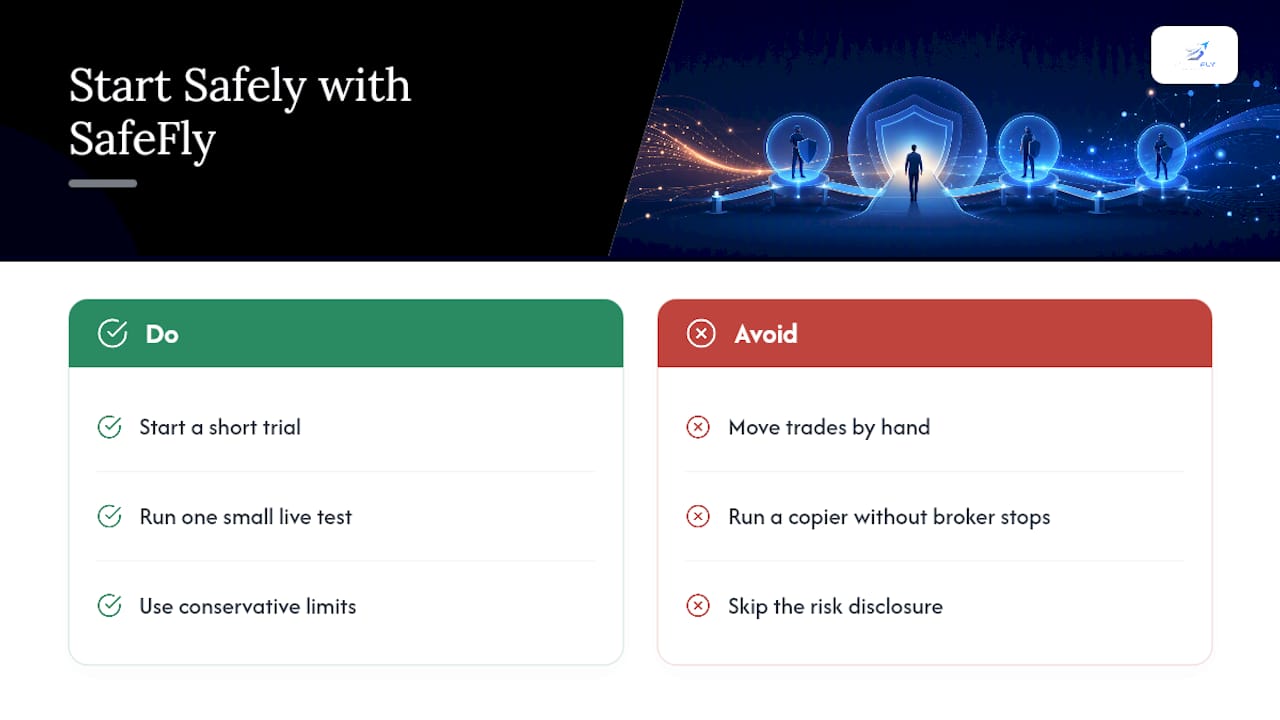
If you are managing more than one Tradovate account and still moving trades by hand, or running a copier without broker-side stops, start with a short trial, run one small live test with conservative limits, and read the risk disclosure before scaling further.
FAQ
Can You Mirror Trades From a Tradovate Sim Account to a Live Account?
Yes, with a Tradovate-capable copier that supports OAuth and explicit environment mapping between Demo and Live accounts, plus broker-side protective stops and daily P&L lockouts before any live capital is at risk.
Why Does My Copier Fail to Connect a Prop Firm Account?
Most prop firm funded accounts run on Tradovate's Demo environment even though they carry real trading rules, so authenticating them as Live will fail every time.
What Is a Safe Daily Loss Limit for a Mirrored Account?
Many operators set daily P&L lockouts as a small percentage of account equity, adjusted for account size and strategy volatility, so a losing session halts new mirrored trades automatically.
Do Broker-Side Stops Matter if My Copier Already Has Stop Logic?
Yes, because broker-side stops are enforced by the exchange itself and survive a disconnection or software outage, while stops that exist only inside the copier disappear the moment your connection drops.
How Many Accounts Should I Mirror to Before Scaling Up?
Start with one follower account and one contract, confirm fill parity and stop behavior over several sessions, then expand followers and multipliers gradually as staged rollouts recommend.